
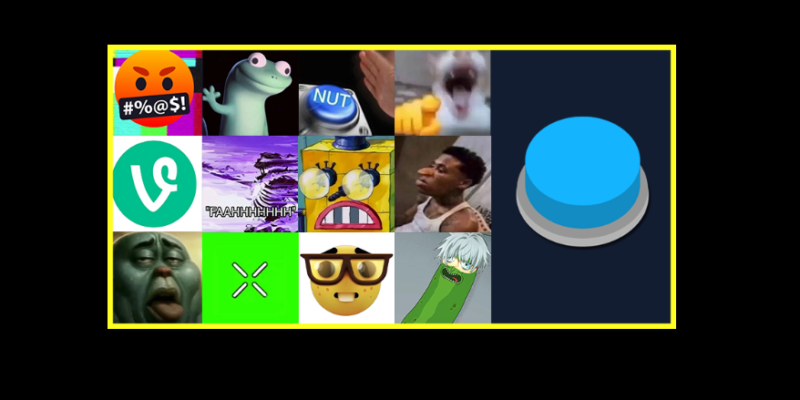
You know the sound, but not its name. Maybe it is the dramatic boom that follows a suspicious look, the error noise after a terrible decision, or a spoken reaction you keep hearing in short videos.
Finding that exact clip can take longer than expected. Searching vague descriptions produces unrelated results, and scrolling through videos means listening to everything around the few seconds you actually want.
A meme soundboard makes that process simpler. It brings short audio clips together as playable buttons, letting you preview sounds, compare reactions and keep useful clips within reach. Whether you are editing a gaming video, collecting inside jokes or looking for a sound you heard online, knowing how to browse and organize a soundboard makes it much more useful.
What is a meme soundboard?
A meme soundboard is an online tool or app where each button plays a short audio clip. The sounds can include viral catchphrases, reaction noises, gaming references, dramatic effects and other audio associated with internet memes.
The basic interaction is straightforward: find a sound, press its button and hear the clip.
A sound button is the individual control. A soundboard is the collection those buttons belong to. Some boards cover a broad range of meme sounds, while others focus on a particular game, creator, character or running joke.
For a starting point, the meme soundboard on SoundboardGuys groups sounds into trending, popular and recently added sections. It also offers daily, weekly and monthly trending views, making it possible to explore different timeframes instead of relying on one static list.
How to find a meme sound when you do not know its name
The most effective search depends on what you remember.
If the clip contains speech, begin with a distinctive part of the phrase. A few memorable words are usually more useful than a broad search such as “funny voice sound.” If you recognise the game, show or character, include that detail.
For sounds without words, describe the noise itself. Try “error,” “buzzer,” “metal pipe” or “dramatic boom.” If that does not work, switch to the reaction it represents, such as confusion, failure or celebration.
A useful search sequence is:
- Search the exact words you remember.
- Try the source, character or game.
- Describe the noise.
- Browse a relevant category or tag.
- Check trending sounds if you heard it recently.
Preview the whole clip before choosing it. Sounds with similar titles may have different endings, extra silence, altered voices or much louder audio. The familiar opening does not always mean you have found the version you wanted.
Trending sounds or familiar classics: which should you choose?
Trending lists are useful for discovery. They can help you identify a reaction you have heard recently or find something outside your usual collection.
Established sounds serve a different purpose. A familiar reaction may communicate the joke immediately, without the audience needing to know a recent trend.
Choose according to the people watching and the moment you are creating.
A gaming community might understand a character’s voice line instantly. A broader audience may respond more easily to an obvious buzzer or a short expression of disbelief. A sound can be popular and still feel out of place in a particular video.
Before using it, ask: does this clip help someone understand the moment, or does the joke depend entirely on recognising the reference?
Neither approach is inherently wrong, but they work for different audiences.
How to build a custom meme soundboard
A custom soundboard becomes useful when it reflects how you actually use sounds.
Start with a specific purpose. You might want a collection for gaming reactions, short video edits, a favourite character or jokes shared with friends. A focused board is easier to navigate than a large collection assembled without a theme.
Choose a small set first. Around eight to twelve sounds is a manageable starting point, especially if you want to find a reaction quickly.
Give each selection a role:
- A short spoken reaction for an unexpected comment or mistake.
- A dramatic impact for a reveal or sudden realisation.
- A failure sound for an unsuccessful attempt.
- A celebration for a win or exaggerated achievement.
- An awkwardness effect for an uncomfortable pause.
- A community-specific reference for a shared joke.
Avoid filling the board with several clips that do the same thing. If three reactions feel interchangeable, keep the one you reach for most often.
SoundboardGuys also lets users create custom boards from their favourite sounds, so a useful discovery can become part of a collection you return to. The aim is to make the next sound easier to find.
Using meme sound effects in video edits
A meme soundboard helps you choose audio. The editing timeline is where you decide how that audio works with the footage.
Start by identifying the exact moment that deserves emphasis. It might be a missed jump, an unexpected answer or a reaction caught on camera.
Imagine a gaming clip where someone announces an easy win, then immediately walks off the map. Let the prediction establish the setup. Show the failure. Then try a short reaction sound.
Placing the sound too early can reveal the joke before viewers see it. Placing it too late can make it feel disconnected. Move it slightly in each direction and replay the full sequence.
Watch for silence at the beginning of the audio file, too. The edge of the clip on your timeline may come before the actual sound begins.
Keep the effect only as long as it helps. A quick reaction often needs a quick ending, particularly when the video immediately moves to another moment.
Balance the sound with voices and background audio
Meme sound effects can vary considerably in loudness. Two buttons played at the same device volume may produce very different results.
When editing, adjust each effect against the surrounding audio. Speech should remain understandable, and the transition into the sound should feel intentional.
If background music competes with a reaction, briefly reduce the music underneath it. This gives the effect space without requiring a large increase in volume.
For spoken meme clips, avoid overlapping them with essential dialogue. Two voices talking at once can make both difficult to follow.
Finally, listen through a phone speaker as well as headphones. A deep impact that sounds powerful on headphones may be less distinct on a small speaker, while a sharp buzzer may feel much more intrusive.
Can you use an online soundboard in a voice chat or stream?
Hearing a sound through your own speakers does not necessarily mean other people in a call or stream can hear it.
Browser playback, microphone input and broadcast audio are separate parts of the setup. Depending on the application, you may need audio sharing, an appropriate capture source or a supported soundboard integration.
Test the complete setup before relying on it. Check that the intended sound is audible, your microphone remains clear and the audio is not being captured twice.
For a recorded video, the process is different: you place an audio file you are permitted to use directly into the editor. There is no need to send it through a live microphone connection.
Make your soundboard useful beyond the first session
After using a collection a few times, remove the sounds you consistently skip. Replace unclear labels where the platform allows it, separate unrelated themes and keep your most useful reactions easy to locate.
You do not need a different effect for every situation. A smaller collection can become more personal as particular sounds turn into recurring jokes.
The best test is practical: can you find the right reaction while the moment still makes sense? A well-organized meme soundboard makes that easy, whether you are trying to identify a familiar clip, finish a video edit or keep your favourite sounds together.